
Let’s get you some help.
Choose how you’d like to get help.
Need help with the sharing request?
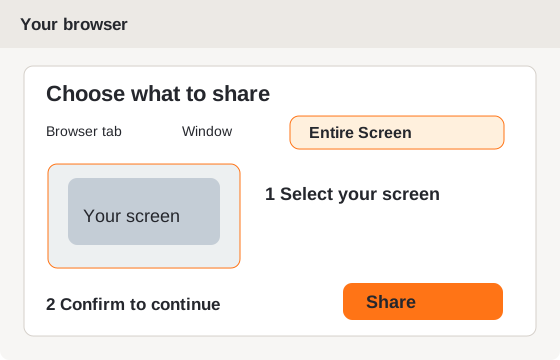
On a Mac, allow Screen Recording for this browser in System Settings if macOS asks, then restart the browser if requested.
Waiting for your technician.
Getting your code…
Your technician can select you from their list. Give them this code if they ask.
First, download the app.
Click below. We’ll show you where to open it next.
Download for WindowsDownload not working? Try the backup download on Google Drive ↗. On the Google Drive page, click the Download button, then open the downloaded app.
Windows protected your PC?
If you just downloaded our support app from help.210fix.com for your Limitless Tech support visit:
- Click More info.
- Check that the app is LimitlessSupport.exe. Our app is not yet digitally signed, so Windows may show Unknown publisher.
- Click Run anyway to open the support app.
If Run anyway is missing, the app name is different, or Windows reports a virus or malware, stop and ask your technician for help.
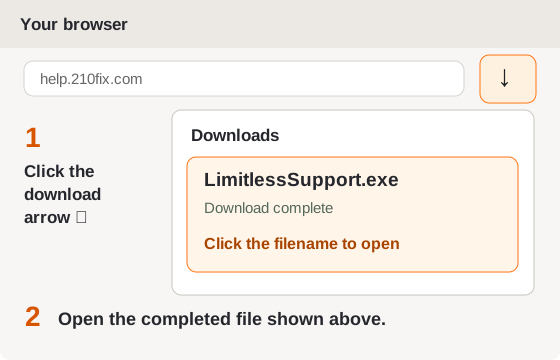
In the app, click Get a support code. Tell your technician the new code, then approve their connection.
If Windows asks to allow LimitlessSupport.exe to make changes, choose Yes only for this support request. Ask your technician about any security warning.
Wrong browser or computer?
Screen sharing has ended.
Your screen is no longer shared.